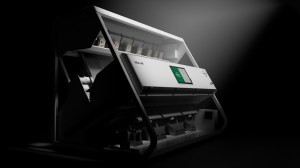
Full control. In a few steps.
The new software HMI has been redesigned from the ground up and tested with the people who use it. Short training, a clear layout, and no guesswork.
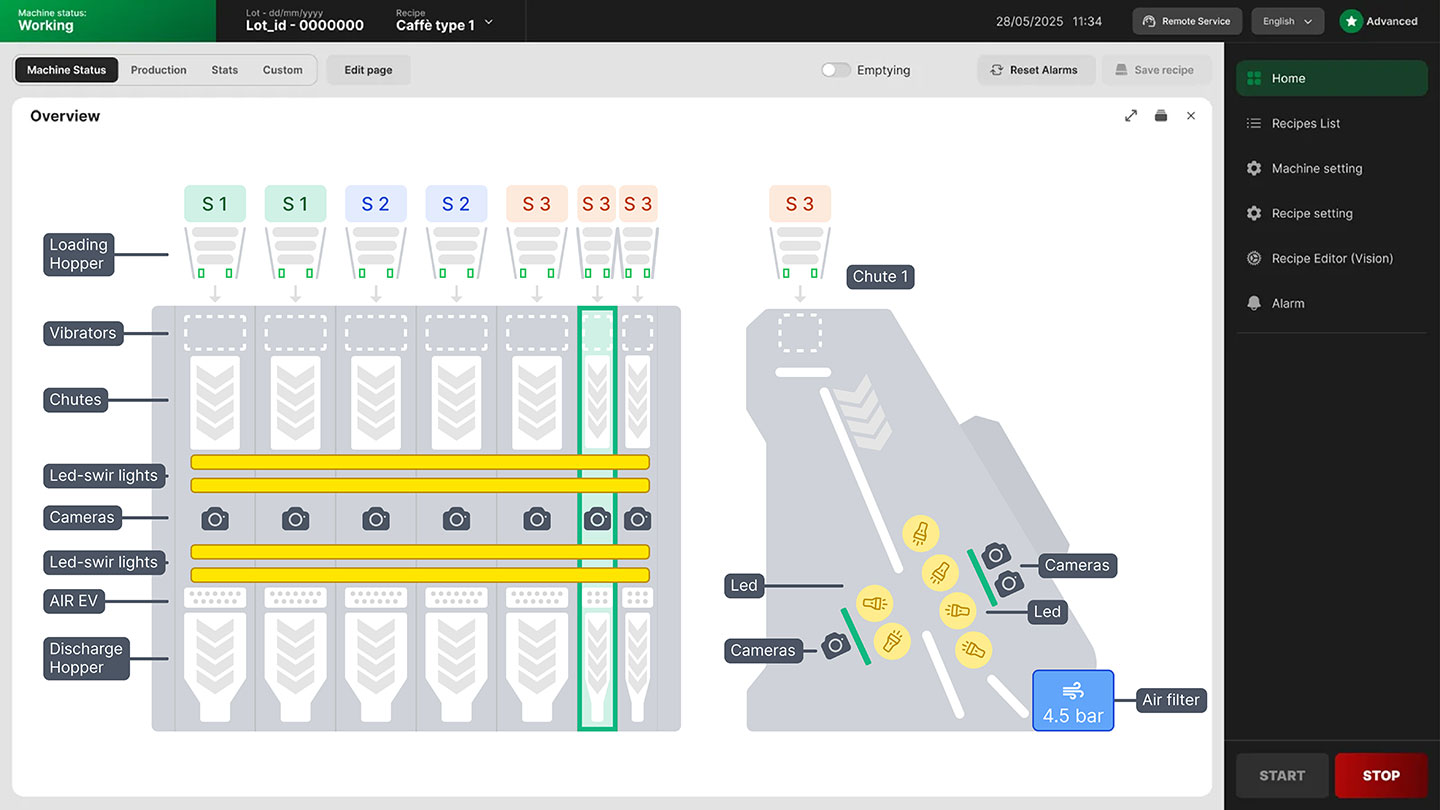
What actually matters

Simple control
Each task takes a handful of steps and the training is short. What the machine is doing reads at a glance, always.

Fast set-up
Recipes and settings are where you expect them. You go straight to the parameter you need and on to the next batch.

Efficient daily work
Every operator builds their own screen and finds only what they need. The interface adapts to the shift, not the other way round.
HOME SCREEN
The home screen of the machine.
The home screen is the control centre of the machine: you start it, stop it, correct parameters while it runs and prepare the next batch.
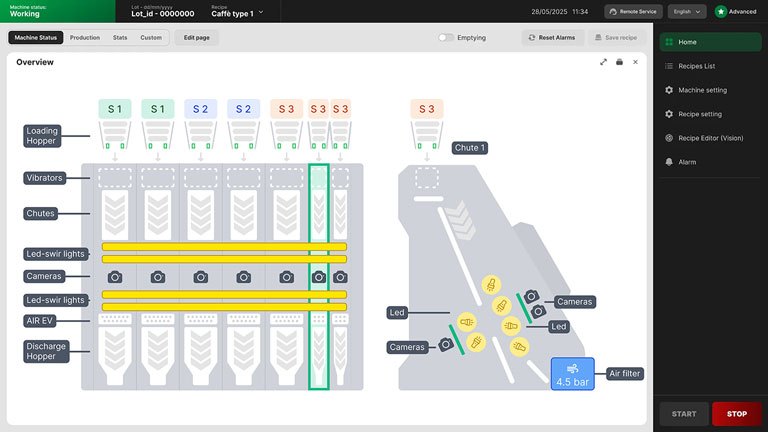
Machine status, always
The synoptic makes the state of the machine readable component by component, so you know straight away where to act.
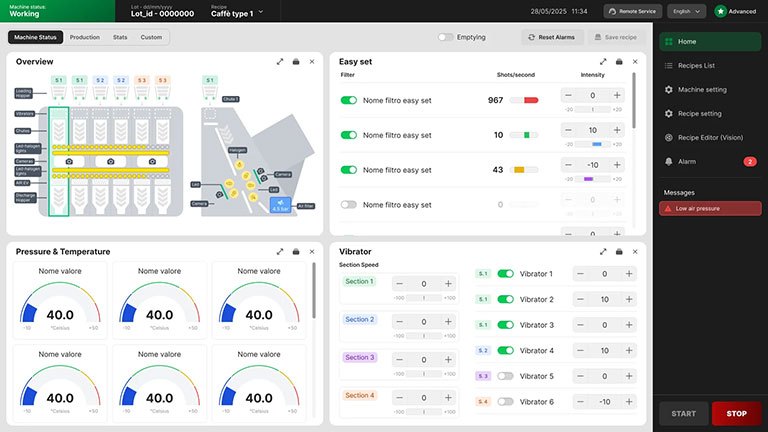
Real-time monitoring
Pressures, temperatures and the main signals stay under control while the machine runs. The information that matters is always in view.
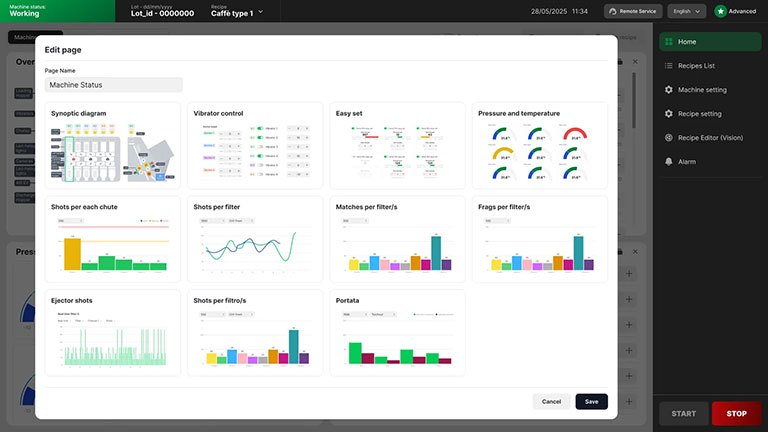
A home screen built to fit
You set up the home screen with the widgets your work needs. Every operator finds a screen built around their own priorities.
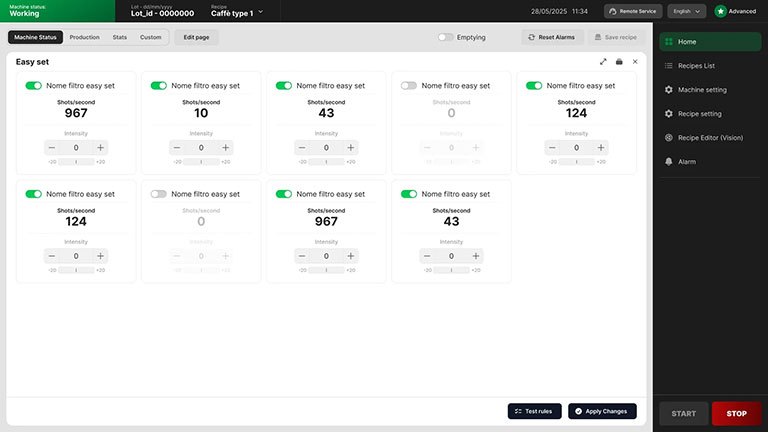
Quick setting with Easy Set
Easy Set covers the essential adjustments without going into the detailed parameters: fewer steps to get the machine back to work.
EDITOR RECIPE
Where the recipe is built.
Editor Recipe is the side of the software where you build your recipe. You work on the image of the product, marking what is good and what is reject, or let Brain AI advise you.
The recipe in detail.
You tailor the filtering by colour, geometry, SWIR or with BRAIN™ AI. Each recipe brings together the criteria your product really needs.
Several views, together.
Visible, NIR and SWIR work together for complete control.
Simulation of the result.
You check the result by pixel, shots or valves and know exactly what is being hit.